Publishing a report
FTP stands for File Transfer Protocol. FTP is used to upload files to another location on the Internet (for example, to the site on the Internet where your reports are kept). This will allow you to publish your reports to the internet or an intranet in a simple one-step process.
Note: Publishing over FTP requires a Standard or Site license.
To FTP a Crystal Report:
- Open the Crystal Report that you want to publish.
- On the ribbon, choose Report Viewer › Send › FTP.
- Select Current Section (the currently viewed sub-report or drill-down) or Entire Report (the complete report).
- The Send via FTP dialog box will appear.
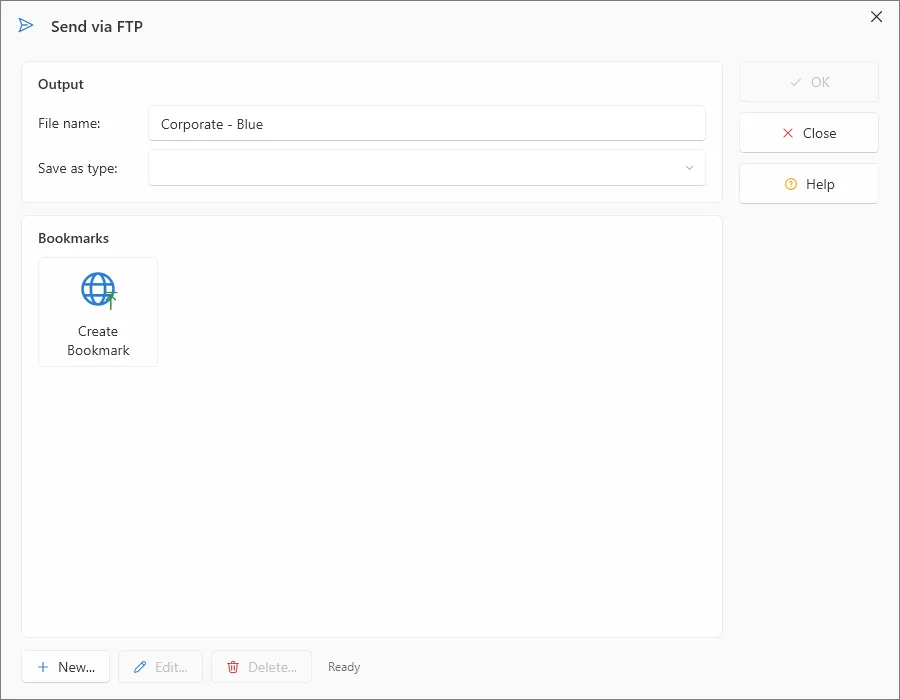
- Select the export format type from the Save as type drop-down list.
- Select the FTP Bookmark (See Working with bookmarks).
- Enter the File name.
- Click OK.