Saving favorites
ViewerFX for Crystal Reports Favorites are links to Crystal Reports that you open frequently. By adding a report to your favorites list, you can open that report by simply clicking its name, instead of having to find it in your file system or email application.
Note: Favorites require a Standard or Site license.
If you are viewing a report and want to add it to your favorites list do the following:
- On the ribbon, choose Report Viewer › Favorites › Add.
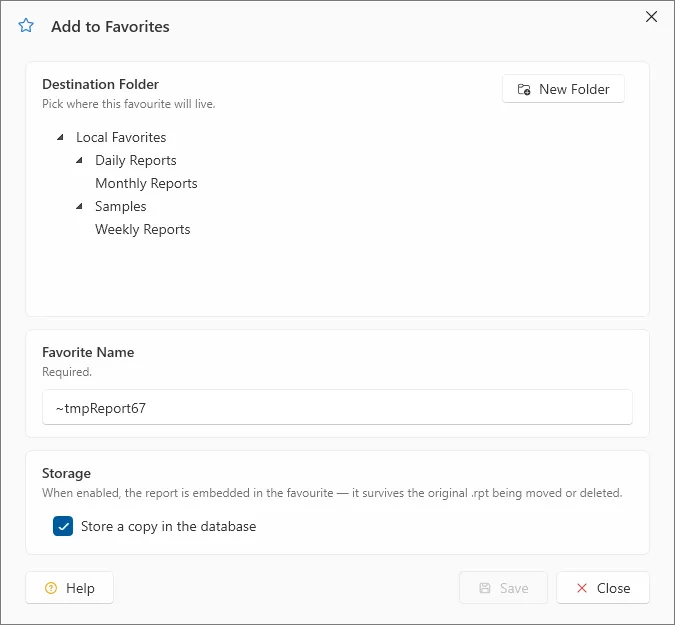
- Type a new name for the report.
- Specify the folder that the favorite should be created in.
- Check the Store a copy of the report box if you want to store a copy of the Crystal Report instead of just a link to the report.
- Click OK.
Note: In the favorites and history trees, a report that carries a stored copy is marked with a document icon that has a small save badge; a plain document icon means the entry is only a link to the report file. The icon is the only indicator — there is no tooltip.