Run history
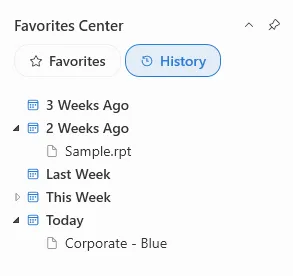
The history tree in the Favorites Center lists the reports you have recently opened, so you can reopen one without locating the file again.
Note: Run history requires a Standard or Site license.
The history tree appears in the Favorites Center, alongside your favorites. Click a report in the history tree to reopen it — see Opening reports.