Managing FTP bookmarks
FTP stands for File Transfer Protocol. FTP bookmarks save the FTP site connections you use to publish reports, so you can reuse them without re-entering connection details.
Note: Publishing a report over FTP requires a Standard or Site license — see Publishing a report.
To manage the list of FTP bookmarks:
- On the ribbon, choose Report Viewer › View › Settings. The Settings window opens.
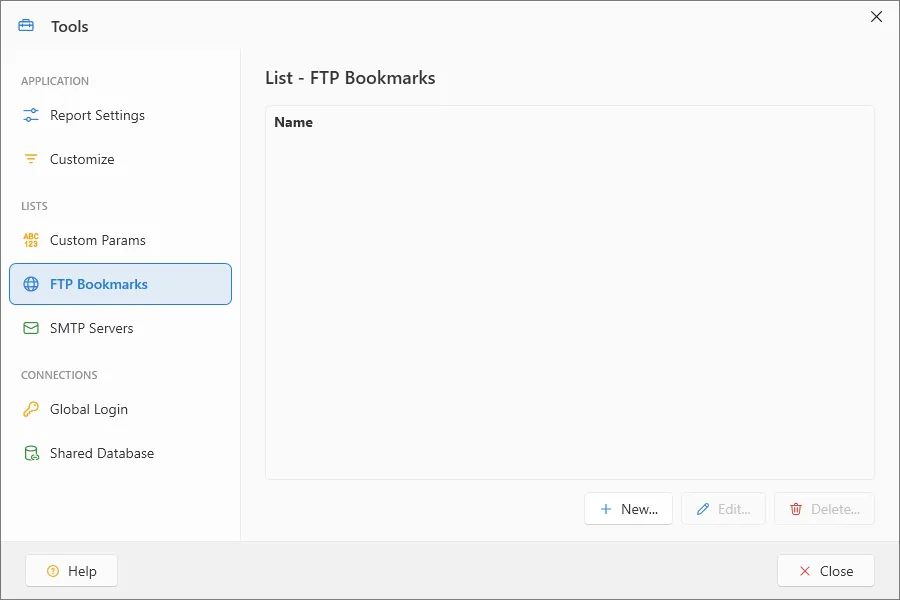
To create a new FTP bookmark:
- Select the FTP Bookmark section in the Settings window.
- Click the New button (See Working with bookmarks).
To modify an existing FTP bookmark:
- Select the FTP Bookmark section in the Settings window.
- Highlight the FTP bookmark you want to modify.
- Click the Edit button (See Working with bookmarks).
To delete an existing FTP bookmark:
- Select the FTP Bookmark section in the Settings window.
- Highlight the FTP bookmark you want to delete.
- Click the Delete… button.
- Click Yes when the confirmation dialog box appears. The FTP bookmark will be permanently removed from ViewerFX for Crystal Reports.
Note: This cannot be undone — a deleted FTP bookmark must be recreated.