Navigating with the group tree
The group tree provides a table of bookmarks and usually represents the data groupings in a report. Individual groups appear in the group tree. The creator of the Crystal Report determines which groups appear.
To browse using the group tree:
- On the ribbon, choose Preview › Panels › Groups to show the group tree.
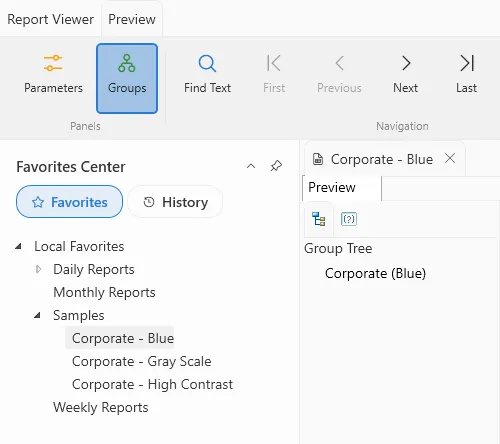
- To jump to a group using its bookmark, click the bookmark. Click the plus sign (+) next to a parent bookmark to expand it. Click the minus sign (-) next to a bookmark to hide its children.
Note: Double-clicking a group’s bookmark will drill-down on the group instead of taking you to another location.